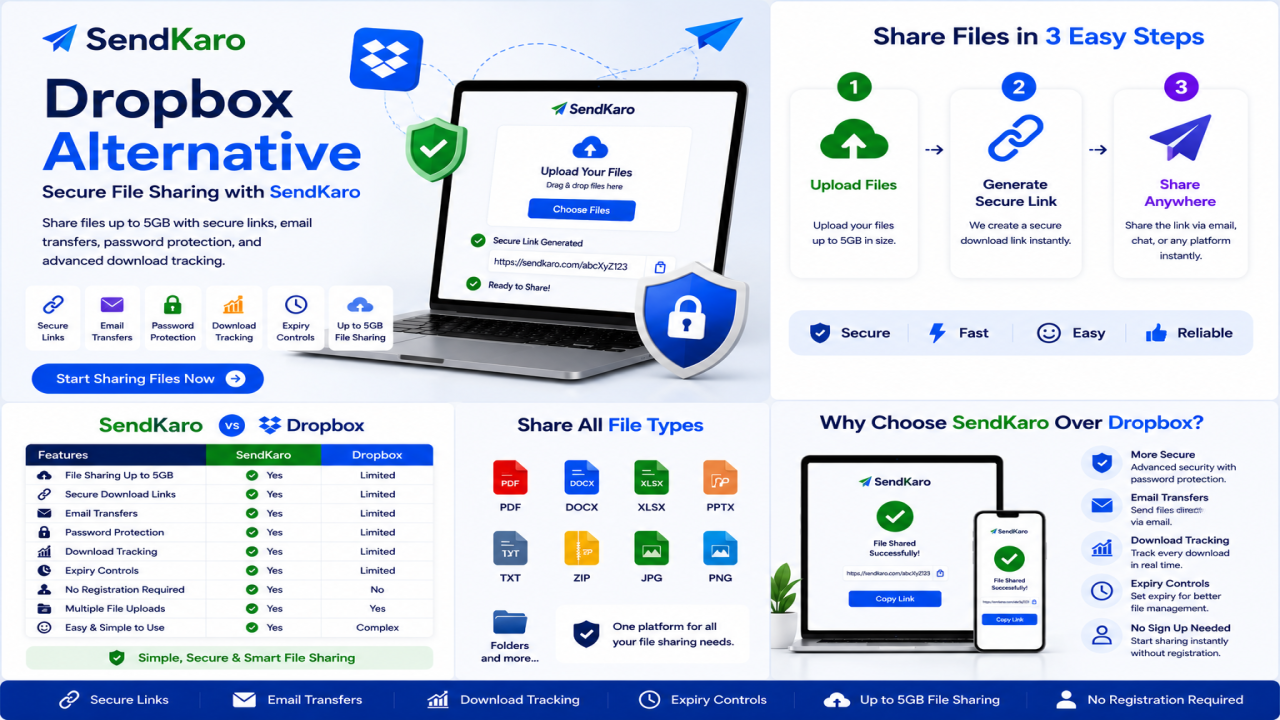

Dropbox Alternative: Secure File Sharing with SendKaro
Introduction
Dropbox has long been one of the most recognized names in cloud storage and file management. Millions of individuals, businesses, and teams use Dropbox to store documents, organize folders, and collaborate on projects.
However, not everyone needs a full cloud storage platform.
Many users simply need a secure and efficient way to send files online. Whether you're sharing a PDF report, delivering an Excel spreadsheet, transferring a ZIP archive, or sending JPG images to a client, a dedicated file-sharing platform can often provide a faster and simpler experience.
This is why many users search for a Dropbox Alternative.
SendKaro is designed specifically for secure file sharing and file transfers. Instead of focusing on long-term cloud storage, it helps users upload files, generate sharing links, and deliver documents quickly to recipients.
If your goal is simple and secure file delivery, SendKaro offers a practical solution.
What is Dropbox?
Dropbox is a cloud storage platform that allows users to store files online, synchronize documents across devices, and collaborate with others.
The platform is commonly used for:
-
File storage
-
Team collaboration
-
Document synchronization
-
Folder sharing
-
Remote file access
Dropbox is particularly popular among businesses and teams that need centralized storage and collaboration capabilities.
Advantages of Dropbox
Dropbox offers several benefits:
-
Cloud storage
-
Device synchronization
-
Shared folders
-
Team collaboration
-
Cross-platform accessibility
These features make Dropbox a useful solution for users who need long-term storage and file management.
Limitations of Dropbox
Despite its popularity, Dropbox may not always be the ideal choice for users focused primarily on file sharing.
Common challenges include:
-
Storage management requirements
-
Folder organization
-
Permission settings
-
Synchronization complexity
-
Features that occasional users may never use
For users who simply need to send files, a dedicated file-sharing platform can often provide a more streamlined experience.
Why Users Look for a Dropbox Alternative
Storage Complexity
Dropbox is designed around cloud storage.
Users frequently need to manage folders, permissions, storage space, and synchronization settings.
For someone who simply wants to send a file to another person, these additional tasks can feel unnecessary.
File Sharing Requirements
Many users don't need permanent storage.
Instead, they need a reliable way to send files quickly and securely.
Students, freelancers, consultants, and businesses often prioritize ease of sharing over storage functionality.
User Experience
Most users prefer a straightforward process:
-
Upload a file
-
Generate a sharing link
-
Send the link
-
Let the recipient download the file
The fewer steps involved, the better the experience.
Collaboration Needs
Organizations regularly exchange files with clients, vendors, contractors, and partners.
Simple file delivery can improve communication and reduce delays.
Security Expectations
Businesses sharing contracts, reports, financial spreadsheets, and internal documentation require secure file transfer methods.
A dedicated file-sharing platform helps simplify secure document delivery.
Cost Considerations
Many users pay for storage features they rarely use.
If your primary goal is file sharing rather than file storage, a specialized file-sharing platform may provide better value.
Best Dropbox Alternative: SendKaro
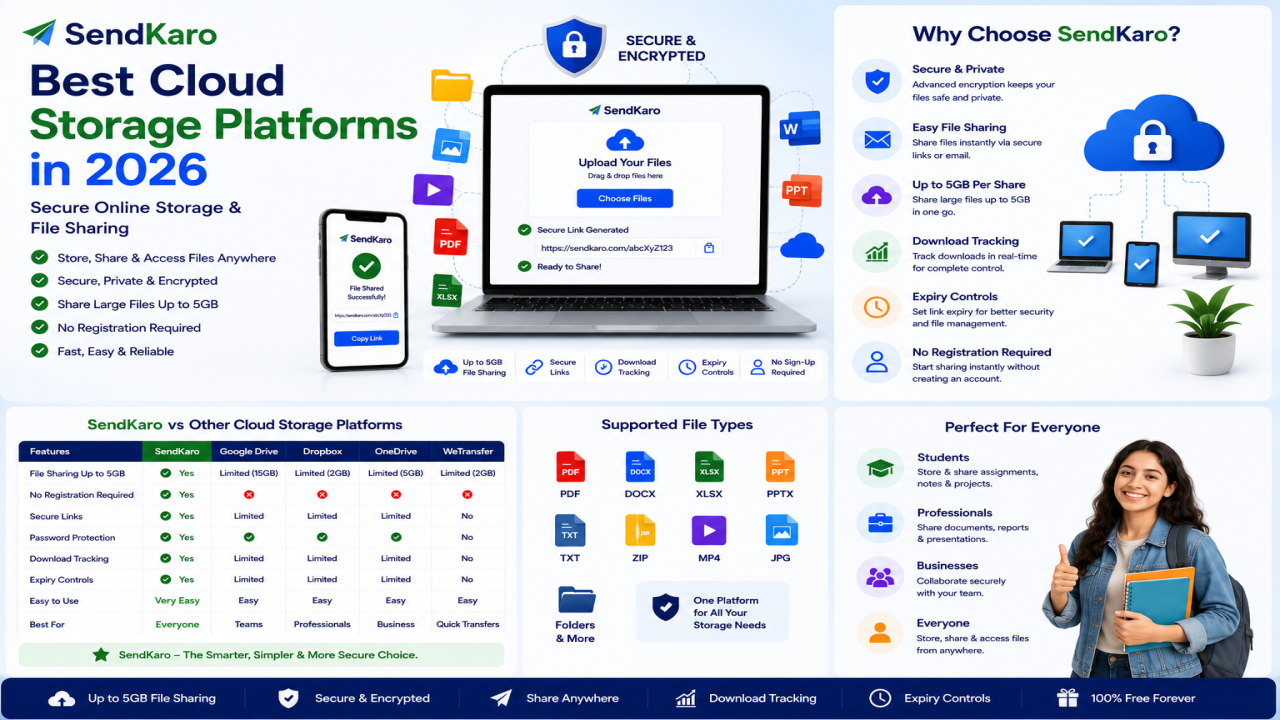
SendKaro is a file transfer platform designed specifically for secure file sharing.
Unlike Dropbox, SendKaro is not a cloud storage service.
Instead, it focuses on helping users upload files, generate secure sharing links, and deliver files efficiently.
The platform currently supports:
-
ZIP files
-
JPG/JPEG files
-
PDF files
-
Excel files (XLS/XLSX)
This makes it ideal for students, freelancers, agencies, consultants, businesses, and remote teams.
How SendKaro Works
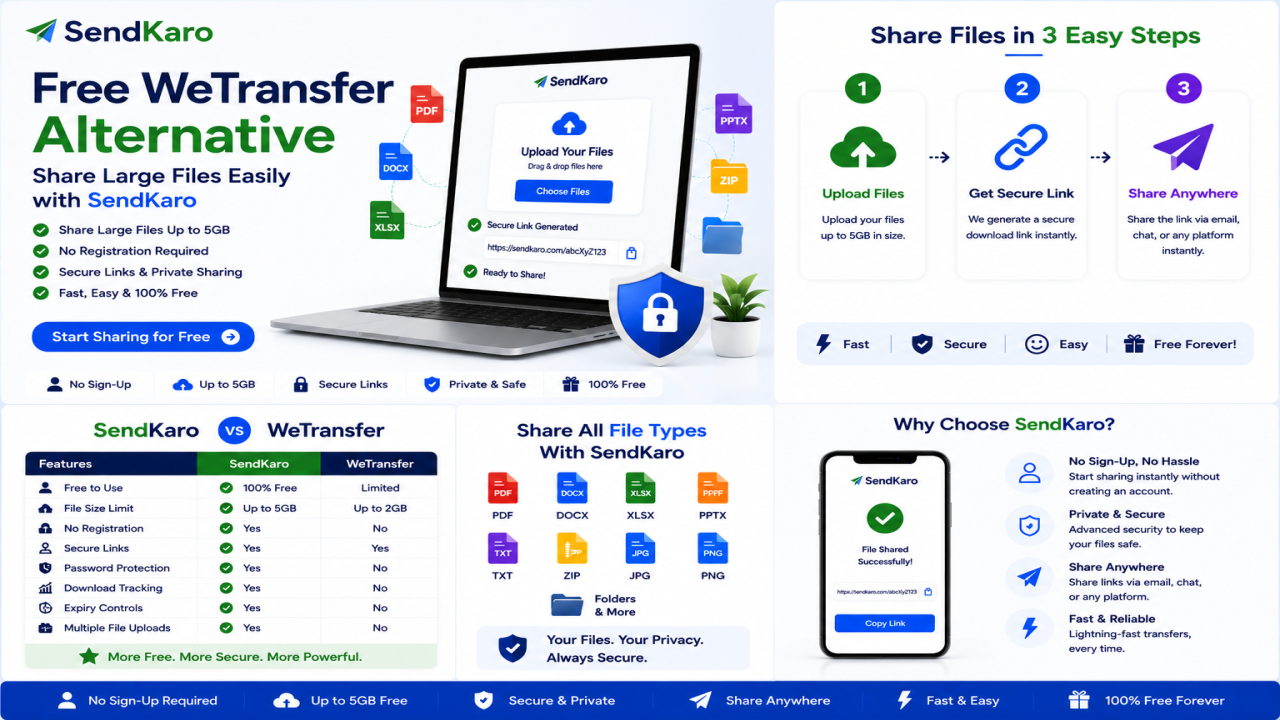
Using SendKaro is simple:
-
Select your file.
-
Upload it securely.
-
Generate a sharing link.
-
Send the link.
-
The recipient downloads the file.
No folder management.
No synchronization settings.
No complicated setup.
Why Users Choose SendKaro
Users choose SendKaro because it focuses on simplicity.
Common use cases include:
-
Sharing PDF reports
-
Delivering Excel spreadsheets
-
Sending ZIP project archives
-
Sharing JPG image collections
-
Distributing documentation
The platform helps users complete transfers quickly and efficiently.
Secure File Sharing Approach
Security remains a critical consideration when sharing files online.
SendKaro uses secure file-transfer methods and controlled sharing links to help users share files confidently.
Whether you're sending contracts, project archives, research papers, or business reports, secure delivery remains a priority.
Simplicity Benefits
Many users don't need storage dashboards, synchronization tools, or complex collaboration settings.
They simply need a reliable way to share files.
SendKaro focuses on making that process fast and easy.
SendKaro vs Dropbox
Ease of Use
SendKaro
-
Simple sharing workflow
-
Minimal learning curve
-
Quick setup
Dropbox
-
Storage-focused environment
-
More features to manage
-
Folder organization required
Upload Process
SendKaro
-
Upload and share immediately
Dropbox
-
Upload to cloud storage
-
Configure sharing permissions
Download Experience
SendKaro
-
Direct access through sharing links
Dropbox
-
Shared folder and storage-based access
Security
SendKaro
-
Secure file transfers
-
Controlled sharing links
Dropbox
-
Security integrated into cloud storage
Accessibility
SendKaro
-
Browser-based access
-
Works across devices
Dropbox
-
Desktop, browser, and mobile applications
Sharing Workflow
SendKaro
-
Built specifically for file delivery
Dropbox
-
Built primarily for storage and collaboration
Supported File Types
SendKaro
-
ZIP files
-
JPG/JPEG files
-
PDF files
-
Excel files (XLS/XLSX)
Business Use
SendKaro
-
Client deliverables
-
Reports
-
Documentation
-
Project files
Dropbox
-
Long-term storage and team collaboration
Student Use
SendKaro
-
Assignments
-
Research papers
-
PDF reports
-
Excel projects
Collaboration
SendKaro
-
Fast and straightforward file delivery
Dropbox
-
Team-oriented collaboration workflows
Key Features of SendKaro
Secure File Sharing
Share files using secure transfer methods and protected sharing links.
Fast File Transfers
Upload and share files quickly without unnecessary complexity.
Share Large Files
Send ZIP archives, PDF documents, JPG images, and Excel spreadsheets efficiently.
Cross-Device Access
Access SendKaro from desktops, laptops, tablets, and smartphones.
Simple User Experience
The platform is designed to be intuitive and easy to use.
Quick Link Generation
Generate a shareable link immediately after uploading a file.
ZIP-Based Multi-File Sharing
Need to send multiple files?
Compress them into a ZIP archive before uploading.
This helps keep files organized and allows recipients to download everything in a single package.
No Technical Knowledge Required
Anyone can use SendKaro without special training or technical expertise.
How SendKaro Makes File Sharing Easy
Step 1: Select Your File
Choose a supported file type:
-
ZIP file
-
JPG/JPEG image
-
PDF document
-
Excel spreadsheet (XLS/XLSX)
Step 2: Upload the File
Upload your file securely through SendKaro.
Step 3: Generate a Sharing Link
Create a secure download link.
Step 4: Send the Link
Share the link through email, messaging apps, or collaboration platforms.
Step 5: Recipient Downloads the File
The recipient clicks the link and downloads the file.
If you need to share multiple files, compress them into a ZIP archive before uploading.
Who Should Use SendKaro?
Students
Perfect for:
-
Assignments
-
Research papers
-
PDF submissions
-
Excel projects
Freelancers
Ideal for:
-
Project handovers
-
ZIP project packages
-
Reports
-
Invoices
Businesses
Useful for:
-
Client deliverables
-
Internal documentation
-
Financial reports
-
Contracts
Agencies
Great for:
-
Campaign reports
-
Client assets
-
Shared resources
Content Creators
Share JPG image collections and portfolio materials easily.
Consultants
Transfer reports, spreadsheets, and business documentation securely.
Remote Teams
Exchange important files quickly across distributed teams.
Benefits of Switching from Dropbox to SendKaro
Many users choose SendKaro because it offers:
-
Simpler file sharing
-
Faster workflow
-
Easy onboarding
-
Secure transfers
-
Reduced complexity
-
No storage management
-
Better experience for occasional file sharing
For users focused primarily on file delivery, these benefits can make a significant difference.
Frequently Asked Questions
What is the best Dropbox alternative?
SendKaro is a strong Dropbox alternative for users seeking secure and simple file sharing.
Is SendKaro secure?
Yes. Secure transfer methods and controlled sharing links help protect file transfers.
What file types does SendKaro support?
SendKaro currently supports ZIP files, JPG/JPEG files, PDF files, and Excel files (XLS/XLSX).
Is SendKaro cloud storage?
No. SendKaro is a file transfer platform, not a cloud storage service.
Can I upload multiple files?
Yes. If you need to share multiple files, compress them into a ZIP archive before uploading.
How do I create a ZIP file?
Select your files, right-click, and choose Compress or ZIP on your device.
Can businesses use SendKaro?
Absolutely. Businesses can use SendKaro for reports, contracts, documentation, and client deliverables.
Can students use SendKaro?
Yes. Students can share assignments, PDF reports, research papers, and Excel projects.
Why choose SendKaro over Dropbox?
SendKaro focuses on secure, fast, and efficient file sharing without the complexity of cloud storage management.
Conclusion
If you're searching for a Dropbox Alternative, it's important to choose a platform that matches your actual needs.
Many users don't need cloud storage, synchronization, or complex collaboration tools. They simply need a reliable way to send files online.
SendKaro delivers exactly that.
With support for ZIP files, JPG/JPEG images, PDF documents, and Excel spreadsheets (XLS/XLSX), SendKaro provides a secure and efficient file-sharing experience for students, freelancers, businesses, consultants, agencies, and remote teams.
Visit SendKaro.com today and discover a faster, easier way to share files online.

Comments (0)