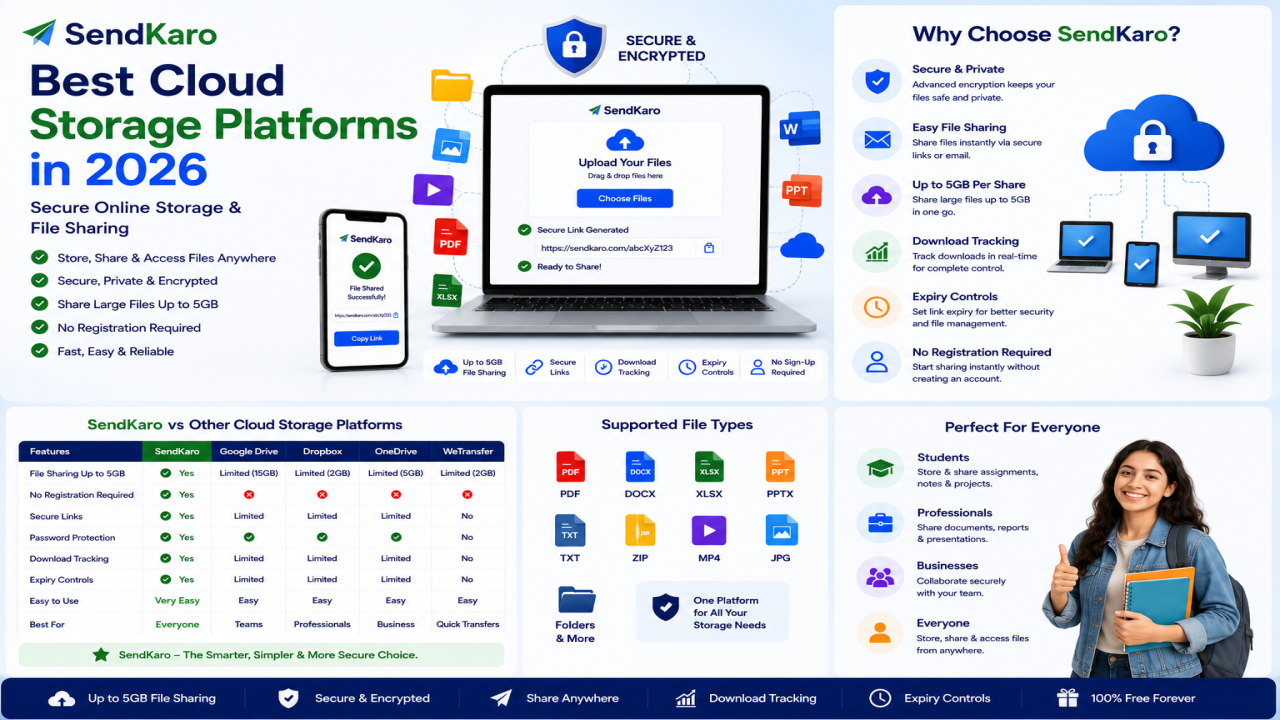

Best Cloud Storage Platforms in 2026 | Secure Online Storage & File Sharing
Introduction
Cloud storage has become an essential tool for individuals, students, freelancers, businesses, and remote teams. From storing important documents to accessing files across multiple devices, cloud storage platforms help users manage their digital data efficiently.
In 2026, there are more cloud storage options available than ever before. Some platforms focus on collaboration, while others prioritize security, storage capacity, or integration with productivity tools.
However, cloud storage is not always the same as file sharing.
While cloud storage platforms are designed for storing and organizing files long term, file-sharing platforms are designed to help users transfer files quickly to other people.
Understanding this difference is important when choosing the right solution.
In this guide, we'll explore some of the best cloud storage platforms in 2026 and discuss when a dedicated file-sharing platform like SendKaro may be a better choice for transferring files.
What is Cloud Storage?
Cloud storage allows users to store files on remote servers that can be accessed through the internet.
Instead of saving files only on a local device, users can upload documents, spreadsheets, images, and other files to cloud-based systems and access them from anywhere.
Common cloud storage features include:
-
File storage
-
Folder organization
-
Device synchronization
-
Backup capabilities
-
Collaboration tools
-
Remote access
Cloud storage platforms have become essential for modern work and personal productivity.
Why Cloud Storage Matters in 2026
Access Files Anywhere
Users can access files from:
-
Desktop computers
-
Laptops
-
Tablets
-
Smartphones
This flexibility improves productivity and convenience.
Improved Collaboration
Teams can work together more effectively by sharing documents and accessing files from a central location.
Backup Protection
Cloud storage provides an additional layer of protection against hardware failures and accidental file loss.
Remote Work Support
As remote and hybrid work continue to grow, cloud storage platforms help teams stay connected and productive.
Scalability
Users can often increase storage capacity as their requirements grow.
Key Factors to Consider When Choosing a Cloud Storage Platform
Storage Capacity
Different platforms offer different storage limits and plans.
Choose a solution that matches your current and future needs.
Security
Look for platforms that prioritize data protection and secure access controls.
Accessibility
The best cloud storage platforms provide seamless access across multiple devices.
Collaboration Features
Some users need advanced collaboration tools, while others only require file storage.
Ease of Use
A user-friendly interface can improve productivity and reduce the learning curve.
Pricing
Evaluate the value offered by different plans and storage options.
Best Cloud Storage Platforms in 2026
Google Drive
Google Drive remains one of the most popular cloud storage solutions.
Key strengths include:
-
Integration with Google Workspace
-
Cross-device access
-
Collaboration tools
-
Document editing capabilities
Google Drive is often a strong choice for individuals and teams already using Google's ecosystem.
Microsoft OneDrive
Microsoft OneDrive integrates closely with Microsoft 365 applications.
Benefits include:
-
Office integration
-
Cloud storage
-
Collaboration features
-
Device synchronization
It is widely used by businesses and professionals.
Dropbox
Dropbox is known for its simplicity and file synchronization features.
Advantages include:
-
Easy file management
-
Shared folders
-
Cross-platform support
-
Team collaboration
Dropbox remains a popular choice for businesses and remote teams.
MEGA
MEGA focuses heavily on privacy and secure storage.
Benefits include:
-
Security-focused approach
-
Cloud storage capabilities
-
Cross-device access
Users who prioritize privacy often consider MEGA.
iCloud Drive
Apple users frequently choose iCloud Drive because of its seamless ecosystem integration.
Features include:
-
Apple device synchronization
-
Cloud storage
-
Easy accessibility
It works particularly well for users invested in Apple's ecosystem.
Box
Box is commonly used by enterprises and organizations that require document management and collaboration features.
Advantages include:
-
Enterprise-focused solutions
-
Security controls
-
Collaboration tools
Box is particularly popular among larger organizations.
Cloud Storage vs File Sharing
Although many people use these terms interchangeably, they serve different purposes.
Cloud Storage
Cloud storage platforms focus on:
-
Long-term file storage
-
Backup
-
Synchronization
-
Collaboration
-
Organization
Examples include:
-
Google Drive
-
OneDrive
-
Dropbox
-
MEGA
-
iCloud Drive
File Sharing
File-sharing platforms focus on:
-
Sending files
-
Generating sharing links
-
Delivering files to recipients
-
Fast file transfers
The goal is simple file delivery rather than long-term storage.
When You Need File Sharing Instead of Cloud Storage
Many users don't need permanent storage.
They simply need a way to send files to someone else.
Examples include:
-
Sending reports to clients
-
Sharing assignments with professors
-
Delivering project files
-
Transferring spreadsheets
-
Sharing image collections
In these situations, a dedicated file-sharing platform may be more efficient than a cloud storage service.
Secure File Sharing with SendKaro
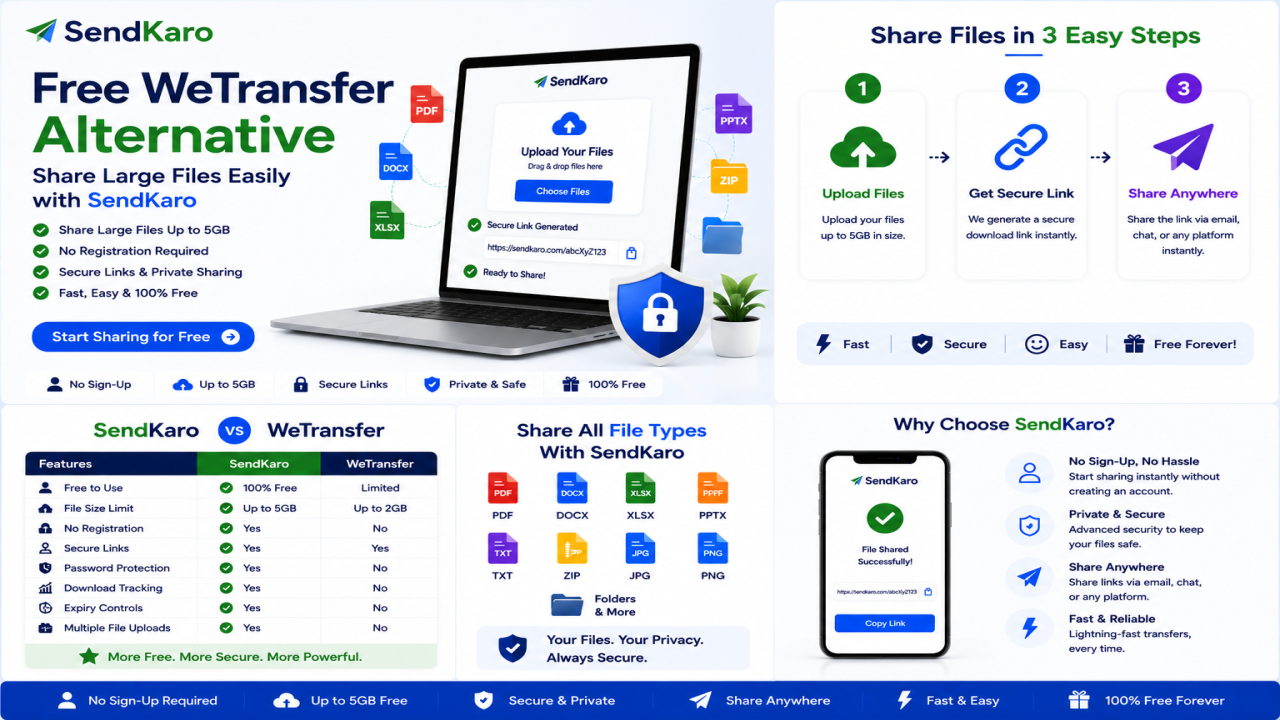
SendKaro is a file-sharing platform designed for secure and efficient file transfers.
Unlike cloud storage platforms, SendKaro focuses on helping users send files online quickly through sharing links.
The platform currently supports:
-
ZIP files
-
JPG/JPEG files
-
PDF files
-
Excel files (XLS/XLSX)
This makes it suitable for educational, professional, and business use cases.
How SendKaro Works
Step 1: Select Your File
Choose a supported file type:
-
ZIP file
-
JPG/JPEG image
-
PDF document
-
Excel spreadsheet (XLS/XLSX)
Step 2: Upload the File
Upload your file securely.
Step 3: Generate a Sharing Link
Create a download link.
Step 4: Share the Link
Send the link through email, messaging apps, or collaboration tools.
Step 5: Recipient Downloads the File
The recipient clicks the link and downloads the file.
If you need to share multiple files, compress them into a ZIP archive before uploading.
Why Users Choose SendKaro
Fast File Transfers
Upload and share files quickly.
Secure Sharing Links
Share files through controlled download links.
Simple User Experience
No complicated storage management.
Cross-Device Accessibility
Works across desktops, laptops, tablets, and smartphones.
Easy File Delivery
Perfect for sending files to clients, colleagues, classmates, and partners.
Who Should Use Cloud Storage?
Cloud storage platforms are ideal for:
Businesses
For long-term storage and collaboration.
Remote Teams
For shared document access and synchronization.
Professionals
For managing and organizing work files.
Students
For storing educational resources and academic documents.
Who Should Use SendKaro?
Students
Share assignments, research papers, and Excel projects.
Freelancers
Deliver ZIP project packages, invoices, and reports.
Businesses
Send contracts, documentation, and client deliverables.
Agencies
Share campaign reports and client assets.
Consultants
Transfer reports and spreadsheets securely.
Remote Teams
Exchange files quickly across distributed teams.
Frequently Asked Questions
What is the best cloud storage platform in 2026?
Popular options include Google Drive, Microsoft OneDrive, Dropbox, MEGA, iCloud Drive, and Box.
What is the difference between cloud storage and file sharing?
Cloud storage focuses on storing and organizing files, while file sharing focuses on delivering files to recipients.
Is SendKaro a cloud storage platform?
No. SendKaro is a file-sharing and file-transfer platform.
What file types does SendKaro support?
SendKaro currently supports ZIP files, JPG/JPEG files, PDF files, and Excel files (XLS/XLSX).
Can I upload multiple files?
Yes. If you need to share multiple files, compress them into a ZIP archive before uploading.
Is SendKaro secure?
Yes. Secure transfer methods and controlled sharing links help protect file transfers.
Can businesses use SendKaro?
Absolutely. Businesses can use SendKaro for reports, documentation, contracts, and client deliverables.
Can students use SendKaro?
Yes. Students can share assignments, PDF reports, research papers, and Excel projects.
Why choose SendKaro for file sharing?
SendKaro focuses on simple, secure, and efficient file delivery without the complexity of cloud storage management.
Conclusion
Choosing the best cloud storage platform in 2026 depends on your specific needs.
If you need long-term storage, synchronization, backup, and collaboration tools, platforms such as Google Drive, Microsoft OneDrive, Dropbox, MEGA, iCloud Drive, and Box remain excellent options.
However, if your goal is simply to send files online quickly and securely, a dedicated file-sharing platform may be a better solution.
SendKaro helps users transfer ZIP files, JPG/JPEG images, PDF documents, and Excel spreadsheets (XLS/XLSX) through a simple and secure sharing process.
Whether you're a student, freelancer, business professional, consultant, agency, or remote team member, SendKaro makes file sharing fast, secure, and easy.

Comments (0)